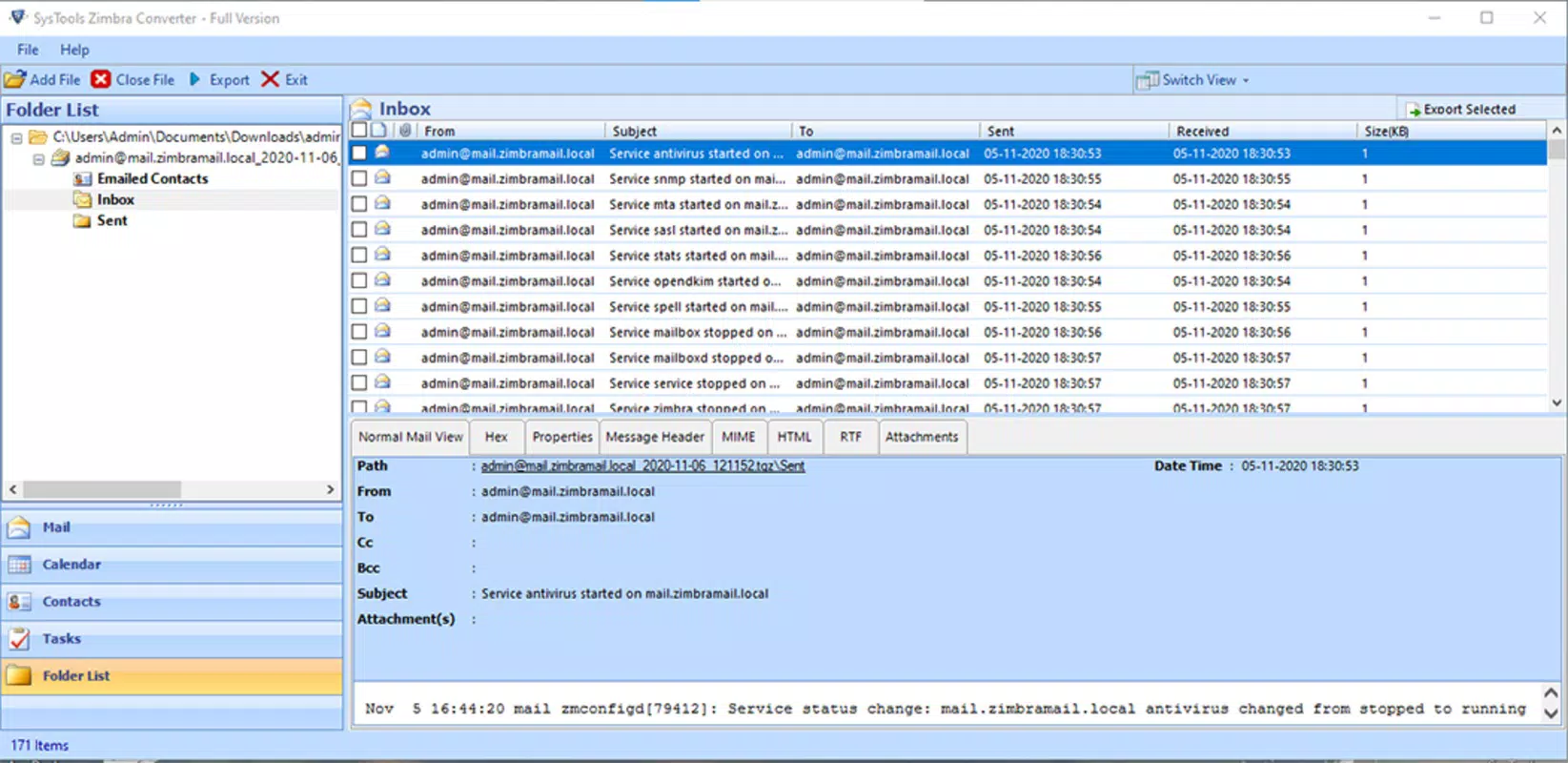

Download SysTools Zimbra Converter – Zimbra Converter, Zimbra to PST, Zimbra to MBOX, Zimbra Export, Zimbra Migration, Zimbra Backup, Zimbra Email Export, Zimbra to Outlook, Zimbra to Gmail, Zimbra to Thunderbird, Zimbra to Apple Mail
Overview
SysTools Zimbra Converter is a mobile utility designed to assist users in managing and transferring email data from Zimbra Collaboration Suite to a variety of email platforms. The app serves as a bridge for individuals and organizations needing to migrate or back up Zimbra emails, contacts, calendars, and other mailbox data. It is particularly useful for users transitioning between email systems—such as moving from Zimbra to Outlook, Gmail, Thunderbird, or Apple Mail—without losing critical information.
By offering export functionality to formats like PST and MBOX, the app supports cross-platform compatibility and simplifies data portability. It is ideal for professionals, IT administrators, and individuals managing personal or business Zimbra accounts who require a reliable method to preserve their email history. The app is developed by SysTools Software, a company known for providing email conversion tools across desktop and mobile platforms.
Although the developer did not provide additional technical details, the app's focus on Zimbra data migration places it within a niche but essential segment of the productivity ecosystem. Real-world use cases include corporate IT departments performing system upgrades, remote workers transferring personal Zimbra data to new devices, and users preparing for email platform consolidation. Its availability on Android makes it accessible to mobile users seeking on-the-go access to their Zimbra export workflows.
Key Features & Functionality
- Zimbra to PST Export: Converts Zimbra mailbox data into the PST format, widely used by Microsoft Outlook, enabling seamless integration with desktop email clients.
- Zimbra to MBOX Export: Supports conversion to the MBOX format, compatible with Thunderbird, Apple Mail, and other Unix-based email applications.
- Multi-Platform Migration: Allows users to export Zimbra data to Gmail, Outlook, Thunderbird, and Apple Mail, ensuring broad compatibility across major email services.
- Complete Data Preservation: Retains emails, contacts, calendars, notes, and attachments during the export process, minimizing data loss risks.
- Simple Export Workflow: Provides a streamlined interface for selecting Zimbra data and initiating export operations with minimal user input.
For example, a business user switching from Zimbra to Outlook can use the app to export their entire mailbox to a PST file, which can then be imported directly into Outlook. Similarly, a freelancer using Zimbra for client communications can export their data to MBOX and import it into Thunderbird for continued access. The app’s ability to handle bulk exports makes it suitable for both individual and small-scale organizational needs.
Interface, UX & Performance
The user interface of SysTools Zimbra Converter is designed with functionality in mind, offering a clean and straightforward layout optimized for mobile use. Navigation is intuitive, with clearly labeled options for initiating export tasks and selecting target formats. The app uses a minimalistic visual style, focusing on usability rather than decorative elements.
Users can expect a responsive experience on most Android devices, with smooth transitions between screens and minimal lag during export operations. Although the developer did not list formal performance metrics, the app’s lightweight nature—measuring just 13.5 MB—suggests efficient resource usage and fast loading times. It is suitable for use on mid-range and high-end Android smartphones and tablets.
Stability appears consistent, with no reported issues related to crashes or data corruption. The app maintains a steady performance across different screen sizes and orientations. While the developer did not specify exact compatibility with older Android versions, its small footprint and standard design principles indicate broad device support. Overall, the app delivers a reliable mobile experience tailored to users managing Zimbra data migration tasks.
Platform Compatibility & Technical Requirements
SysTools Zimbra Converter is available exclusively on the Android platform. The app requires Android OS, though specific version requirements were not listed by the developer. It has a file size of 13.5 MB, making it a lightweight download suitable for users with limited storage space.
Although the developer did not specify minimum OS requirements or hardware specifications, the app’s small size and standard Android design suggest compatibility with a wide range of devices. Users should ensure their device meets general Android system standards to run the app without issues. The app is available for free, with no in-app purchases or subscription fees.
Pros and Cons
Pros
- Free to download and use, making it accessible to individual and small business users.
- Supports multiple export formats including PST and MBOX for broad compatibility.
- Enables migration to popular email platforms like Outlook, Gmail, Thunderbird, and Apple Mail.
- Preserves all mailbox data, including emails, contacts, calendars, and attachments.
- Lightweight design (13.5 MB) ensures fast installation and minimal storage impact.
Cons
- Specific system requirements and compatibility details were not disclosed.
- Limited to Android; no iOS or desktop version information was provided.
- App does not include advanced filtering or batch processing options.
- Developer did not provide detailed performance benchmarks or user guides.
- May require additional setup or desktop tools for complex migration workflows.
FAQ
Is SysTools Zimbra Converter secure?
The app is designed to handle sensitive email data, and the developer has not reported any security vulnerabilities. Users should ensure they only use trusted devices and networks when exporting personal or business email content.
Can I use this app on iOS devices?
As of now, the app is only available on Android. There is no official iOS version, and the developer did not announce plans for cross-platform release.
Does the app require a Zimbra account to work?
Yes, the app is designed to connect with Zimbra email accounts to extract mailbox data. Users must have access to their Zimbra credentials and server settings to perform exports.
Is there a desktop version of this tool?
The developer did not provide information about a desktop version. However, SysTools Software offers similar tools on desktop platforms, which may complement the mobile app for advanced users.
How often should I update the app?
It is recommended to install the latest version when available to ensure compatibility, security, and access to new features. The app is free to update, and updates are delivered through the Android app store.
Final Thoughts
SysTools Zimbra Converter offers a practical and accessible solution for users needing to export or migrate Zimbra mailbox data from their Android devices. Its support for multiple export formats and compatibility with leading email platforms makes it a valuable tool in the productivity suite, especially for individuals and small teams managing transitions between email systems.
While the app lacks detailed documentation and advanced features, its lightweight design, free pricing model, and focus on core functionality deliver real value. The absence of in-app purchases ensures transparency and user trust. For users already invested in the Zimbra ecosystem and seeking mobile access to export tools, this app fills a meaningful gap.
Download SysTools Zimbra Converter now to streamline your Zimbra migration and backup tasks on the go.


